
Approvals without the chasing.
Ask a teammate or a client to approve a post before it goes out. Clients get a link and don't need an account.
Free plan. No card needed.
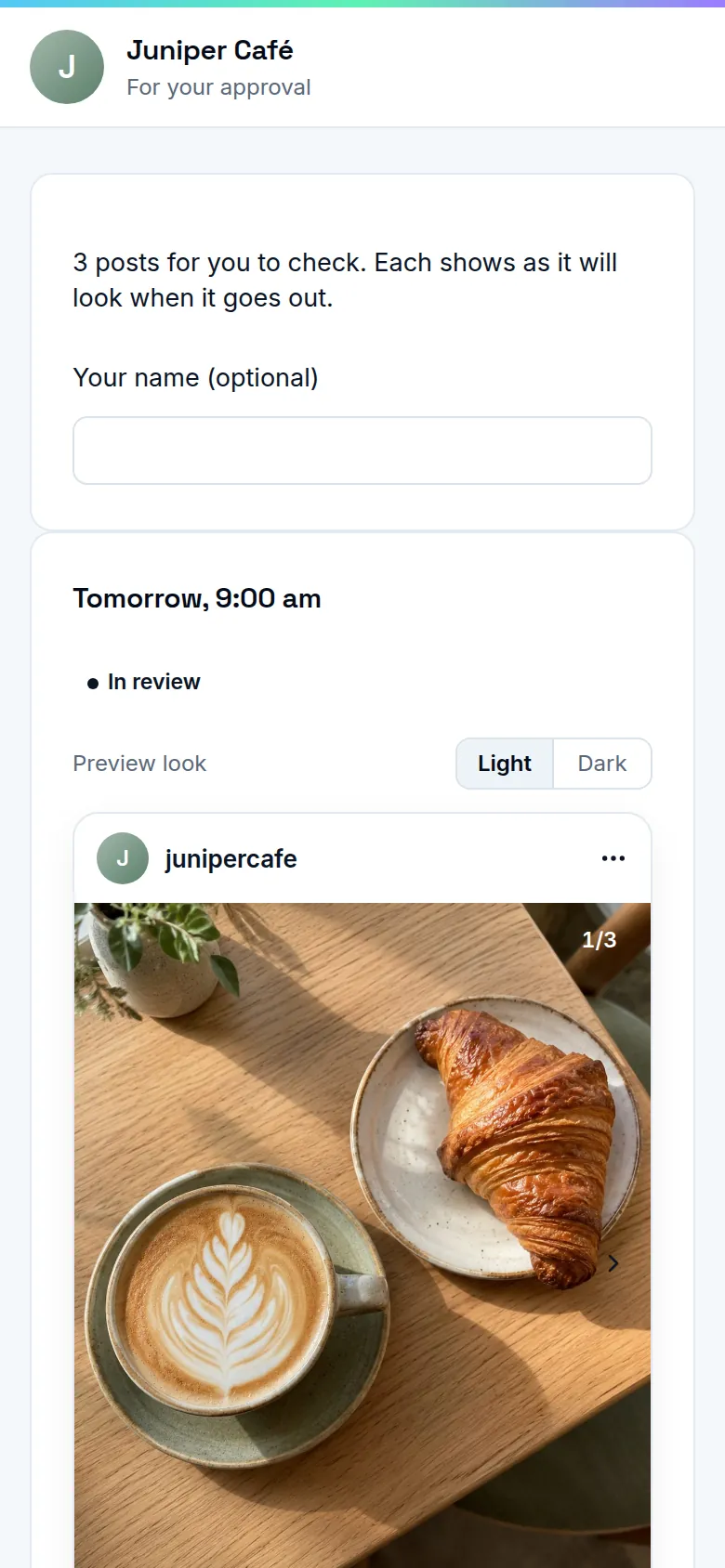
Sign-off that keeps moving
Approval links
Pick the posts and send a link. Your client presses Approve, or Request changes with a comment.
Approval steps
Turn approvals on for a brand and choose who can approve. A post that isn't approved waits and says why.
Changes go back for review
Edit the caption or media of an approved post and it goes back for approval. The person who made it gets an email with the answer.
Comments and @mentions
Talk about a post on the post itself. Mention a teammate and they get a notification and an email.
Where it works
Instagram today. More networks are on the way.
- InstagramLive
- Facebook PagesAwaiting approval
- LinkedInAwaiting approval
- XComing
- ThreadsAwaiting approval
- PinterestAwaiting approval
- BlueskyComing
- MastodonComing
- Telegram channelsComing
- Discord channelsComing
- YouTubeAwaiting approval
- TikTokAwaiting approval
- Google Business ProfileAwaiting approval
- WhatsAppAwaiting approval
Questions
Does my client need an account?
No. An approval link opens only the posts you picked, and nothing else.
What if nobody approves in time?
The post doesn't go out. It stays on the calendar and says it's waiting for approval.
Can I protect the link?
Yes. A link lasts 14 days unless you choose up to 90, can have a passcode, and can be turned off at any time.
Related
Start on the Free plan.
Every feature on this site, with fair limits. No card needed.
Free plan. No card needed.