
The whole month, on one calendar.
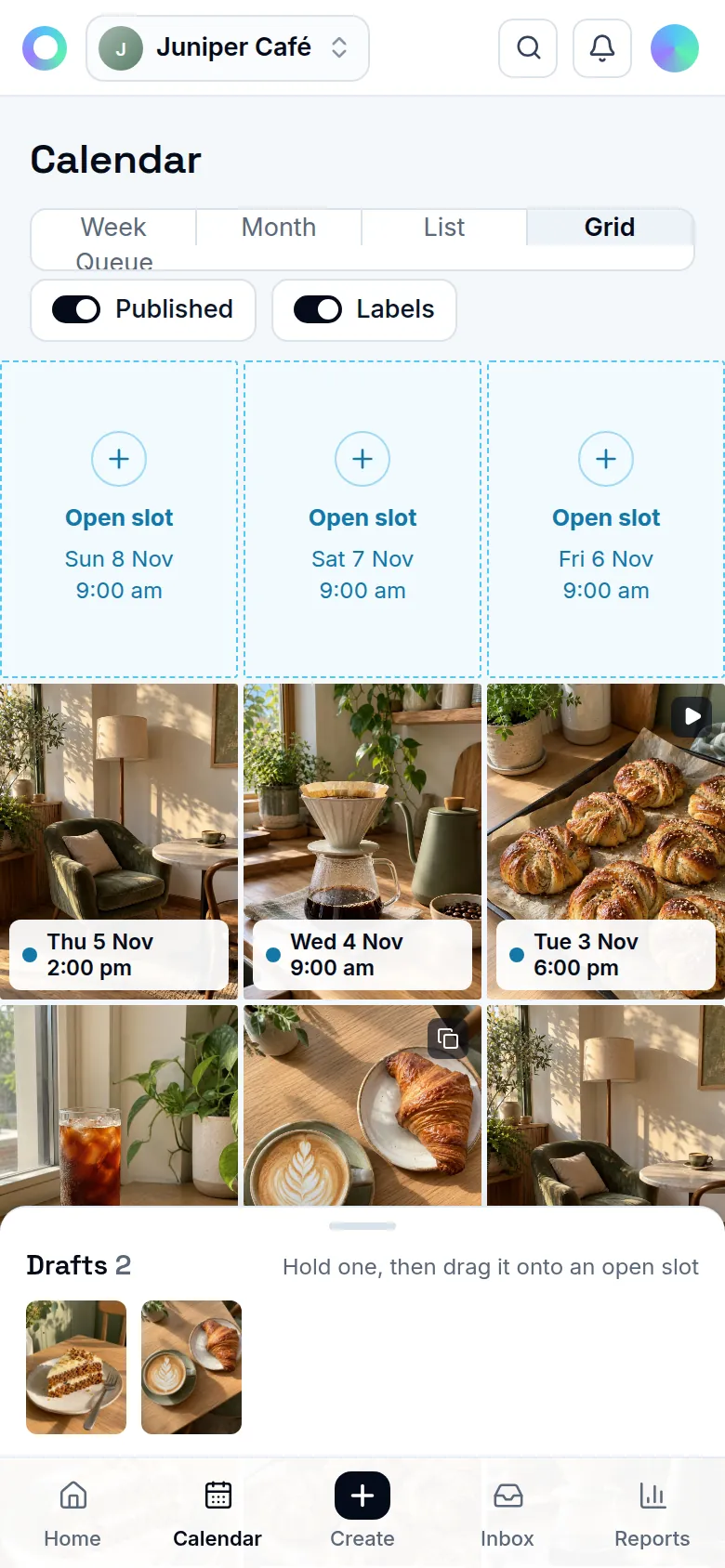
Every draft and scheduled post in one place. Drag a post to a new time, spot the empty days and check how your Instagram grid will look.
Free plan. No card needed.
Plan with the whole picture
Week, month and list
Switch views to plan ahead or check what's next. Drag a post to a new time, with Undo if you change your mind.
Grid planner
See your next posts in front of the ones already on your profile. Swap them around until the grid looks right.
Notes and campaigns
Add notes to a day for launches and holidays, and label posts by campaign to see how each one did.
Best time to post
Suggested times come from when your followers are online and how your past posts did.
Where it works
Instagram today. More networks are on the way.
- InstagramLive
- Facebook PagesAwaiting approval
- LinkedInAwaiting approval
- XComing
- ThreadsAwaiting approval
- PinterestAwaiting approval
- BlueskyComing
- MastodonComing
- Telegram channelsComing
- Discord channelsComing
- YouTubeAwaiting approval
- TikTokAwaiting approval
- Google Business ProfileAwaiting approval
- WhatsAppAwaiting approval
Questions
How is the best time to post worked out?
From when your Instagram followers are online and how your past posts did. Until there's enough data it says so and suggests 12:30 and 19:30.
Does the grid show posts I made in the Instagram app?
Yes. The grid shows what's already on your profile, with your planned posts in front of it.
Can someone see the calendar without changing it?
Yes. A person with Viewer access sees the calendar and reports for their brand, and can't change posts.
Related
Start on the Free plan.
Every feature on this site, with fair limits. No card needed.
Free plan. No card needed.